Independence is priceless—but for an older adult living alone, the right safety plan can be the difference between a quick rescue and hours spent waiting on the floor. If you are comparing senior safety subscriptions, do not start with the cheapest monthly price. Start with the moments that matter: a fall in the bathroom, confusion after a walk, a dead pendant battery, or a caregiver who never gets notified.
The best systems today combine 24/7 professional monitoring, automatic fall detection, GPS location, waterproof wearables, long battery life, and caregiver alerts. The challenge? Plans that look similar at $24.95 to $49.95 per month can perform very differently when a real emergency happens. Below is a practical buyer’s guide to the features worth paying for, the brands to compare, and the steps you can take this week to make aging in place safer.
Start With the Real Risk: What Happens in the First 10 Minutes?
For seniors living alone, the biggest risk is not simply falling—it is not being able to call for help afterward. A phone may be across the room. A smart speaker may not hear them. A neighbor may not check in until tomorrow. That is why a monitored wearable can offer a level of protection that a regular smartphone cannot.
A strong subscription should do three things quickly: detect or receive an alert, connect the senior to a trained monitoring agent, and dispatch the right help or notify caregivers. Many companies claim fast response times, but actual speed depends on cellular signal, device battery, monitoring center load, and whether the wearer can speak clearly. When possible, test the device’s button during the return window and ask the monitoring center how they handle no-response emergencies.
Feature #1: 24/7 Professional Monitoring Is the Core Value
The monthly fee is not just for a button. It pays for access to a live emergency response center, usually available 24/7. This is where many budget alternatives fall short. A smartwatch may call 911, but a medical alert monitoring agent can stay on the line, access the user’s profile, contact family, and share key details such as address, lockbox code, medications, or preferred hospital.
Best fits to compare
Bay Alarm Medical SOS Home starts around $24.95/month for in-home coverage, with fall detection commonly available for about $10/month extra. It is a strong value pick for seniors who mostly stay home and want a simple pendant or wrist button.
MobileHelp Classic also starts around $24.95/month, with automatic fall detection typically around $11/month extra. It is known for no landline options and straightforward equipment.
ADT Medical Alert Basic is often priced around $31.99/month, while cellular and mobile plans cost more. The ADT name carries trust for many families, which can reduce hesitation when adult children are trying to get a parent to agree.
Feature #2: Fall Detection Is Worth Considering—But Understand Its Limits
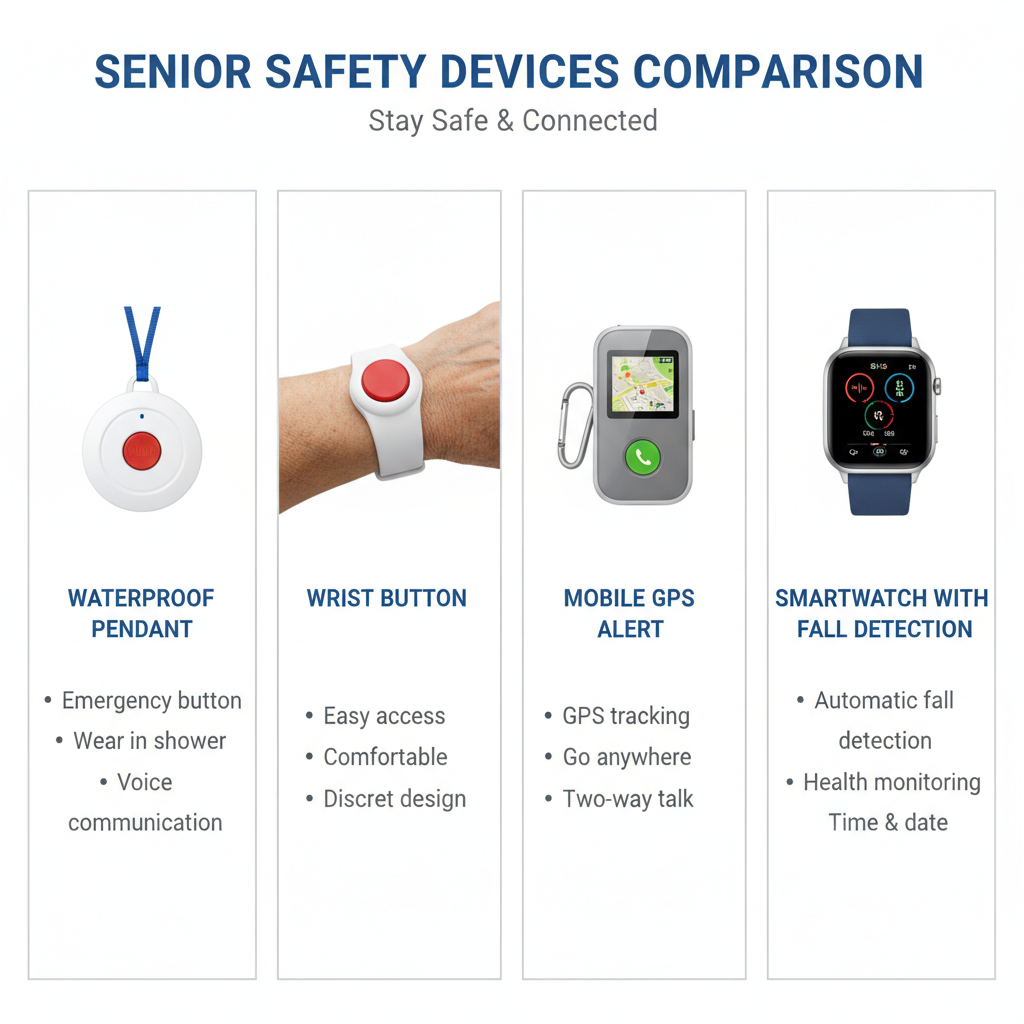
Automatic fall detection is one of the most searched-for features for a reason. If a senior loses consciousness, becomes disoriented, or cannot press the button, the wearable may trigger an alert on its own. That said, no fall detection is perfect. It may miss slow slides from a chair or produce false alarms from dropping the device.
Still, for someone with a prior fall, balance issues, neuropathy, Parkinson’s symptoms, low blood pressure, or nighttime bathroom trips, this add-on is often worth the extra $5 to $11 per month. Think of it as insurance against the exact scenario everyone fears but nobody wants to talk about.
Practical tip
Choose a system with an easy cancellation policy and test fall detection during the first 30 days. Do not throw yourself on the floor; instead, ask the provider how to safely test alerts, or use the emergency button to verify response time, audio clarity, and caregiver notification workflow.
Feature #3: GPS Matters for Active Seniors, Not Just Those With Memory Loss
If your parent drives, walks the dog, shops alone, gardens away from the house, or visits friends, GPS can be more important than the home base station. Mobile devices use cellular networks and location tracking to help monitoring agents find the wearer away from home.
Medical Guardian MGMini and Mini Guardian plans are commonly priced around $39.95/month to $44.95/month, with fall detection often about $10/month extra. These devices are popular because they are smaller and more wearable than older, bulky pendants.
LifeFone At-Home & On-the-Go VIPx often runs around $43.95 to $45.95/month, with fall detection around $5/month extra depending on promotions. It is worth checking because LifeFone frequently offers seasonal deals, spouse coverage options, and price-lock promotions.
Lively Mobile2 is another compact option, with plans often starting around $24.99/month and higher-tier packages adding more caregiver and urgent response features. Fall detection is commonly an add-on, often around $9.99/month. It can be especially appealing for families who want a simple device backed by Lively’s urgent response service.
Feature #4: Battery Life Can Make or Break the System
A medical alert device only works if it is charged and worn. For seniors living alone, battery life is not a minor detail—it is a compliance feature. A pendant that needs charging every night may fail if the user forgets, travels, or resists wearing it.
Home-based pendants often have long-lasting button batteries that can run for months or years, while mobile GPS devices may need charging every one to five days. Some newer mobile units offer multi-day battery life, but always verify real-world performance. If your parent already forgets to charge a phone, choose a system with caregiver low-battery alerts and a charging routine that attaches to an existing habit, such as placing it on the charger during dinner.
Feature #5: Waterproof Wearables Are Non-Negotiable
Bathrooms are one of the highest-risk areas for falls. A device left on the sink is not helpful when someone slips in the shower. Look for water-resistant or waterproof pendants designed for shower use. Ask specifically whether the wearable is safe for showering, bathing, and splashes—not just light rain.
For many seniors, a waterproof neck pendant is more practical than a wristband because it is harder to forget and easier to access after a fall. However, if your parent refuses a necklace, a wrist option is better than a pendant sitting in a drawer.
Feature #6: Caregiver Notifications Reduce Anxiety for Everyone
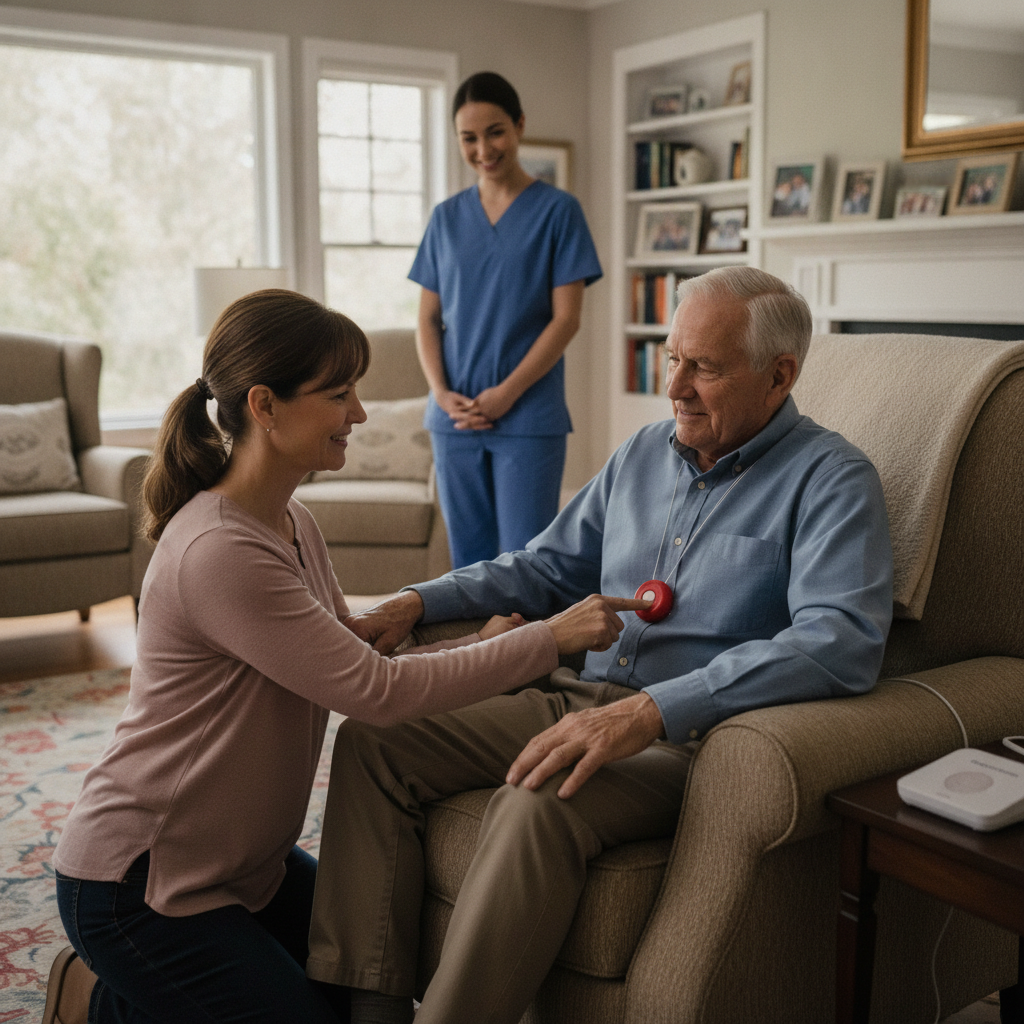
Adult children often buy these subscriptions for peace of mind. The best systems support caregiver apps, text notifications, location checks, low-battery alerts, and emergency event updates. This is where higher-priced plans can be worth it.
Medical Guardian’s MyGuardian app and MobileHelp Connect provide caregiver tools depending on plan and device. Aloe Care Health, often priced around $29.99 to $49.99/month plus equipment costs, focuses heavily on caregiver communication, in-home voice activation, and smart sensors. It may appeal to families who want more than a button, especially when multiple relatives are coordinating care.
Quick Comparison: Which Subscription Fits Which Senior?
Best budget home option
Bay Alarm Medical SOS Home or MobileHelp Classic. Expect roughly $24.95/month before fall detection. Good for seniors who rarely leave home alone and want affordable monitoring.
Best for active seniors
Medical Guardian MGMini, LifeFone VIPx, or Lively Mobile2. Expect roughly $35 to $50/month before or after add-ons. Best for seniors who walk, drive, shop, or travel independently.
Best for caregiver visibility
Aloe Care Health, Medical Guardian, or MobileHelp with caregiver app features. Best when adult children want alerts, location information, and easier coordination.
Best smartwatch alternative
Apple Watch Series 9, Series 10, or Apple Watch SE can detect certain falls and place Emergency SOS calls, but it is not the same as a dedicated monitored medical alert subscription unless paired with the right setup and reliable cellular service. It may suit tech-comfortable seniors, but many older adults find a simple pendant easier in a crisis.
5 Steps to Choose the Right Plan This Week
1. Map the senior’s daily routine. Are they mostly at home, walking outside, driving, or living in a retirement community? Home-only systems are cheaper, but mobile GPS is safer for active routines.
2. Decide whether fall detection is necessary. If there has been even one fall in the past year, do not treat fall detection as optional. The extra monthly cost is small compared with the potential cost of delayed help.
3. Check cellular coverage. Mobile devices often run on AT&T or Verizon networks. Ask the provider which network the device uses and confirm coverage at the senior’s home, grocery store, walking route, and relatives’ homes.
4. Ask about total cost. Compare monthly monitoring, fall detection fees, equipment fees, activation fees, shipping, lockbox cost, cancellation policy, and annual discounts. A $24.95 plan can become $39.95 quickly after add-ons.
5. Run a family test call. During setup, press the button, confirm response time, verify the emergency contact list, and make sure the agent has the correct address and instructions. This one test can reveal problems before a real emergency.
Smart Buying Tips That Save Money
Watch for seasonal promotions around holidays, Medicare open enrollment season, and National Fall Prevention Awareness Month. Many providers waive activation fees, offer free shipping, or include a lockbox. Ask directly: “What promotion can you apply today?” This simple question can save $50 to $150 upfront.
Also ask about annual billing discounts, but do not prepay for a full year unless the company has a clear refund policy. If your parent is skeptical, start monthly. The best device is the one they will actually wear.
The Bottom Line: Do Not Wait for the Second Fall
If a senior lives alone, a safety subscription is not about taking away independence—it is about protecting it. The right system allows an older adult to keep gardening, showering, walking, cooking, and sleeping at home with a direct line to help.
For most families, the best value is a monitored plan with waterproof wearables, automatic fall detection, caregiver notifications, and GPS if the senior leaves home alone. Shortlist three providers, compare the true monthly cost, and order the one your parent is most likely to wear every day. The window after a close call is when families are most motivated—but the safest time to set up protection is before the next emergency.
Action step: Today, write down your parent’s routine, choose home-only or mobile GPS coverage, and call two providers for current promotions. If you can reduce even one hour of helpless waiting after a fall, the subscription has already justified its cost.